


Description
Product Overview
The Amazon Tablet Guide is a meticulously crafted digital handbook that serves as an essential resource for anyone looking to understand and effectively use tablet devices. Spanning 190 pages, this Kindle eBook combines clear instructional text with modern reading enhancements to deliver an engaging learning experience. The guide leverages enhanced typesetting, which optimizes line spacing, font rendering, and layout for comfortable reading on a variety of screen sizes. Word Wise technology highlights difficult words and provides simple definitions, allowing readers to expand their vocabulary while progressing through the material. Page Flip functionality enables seamless navigation, mimicking the tactile feel of turning pages in a physical book, and making it easy to locate specific sections or revisit key concepts.
Beyond these interactive features, the guide includes a comprehensive table of contents, searchable keywords, and a compact file size of 14.2 MB, ensuring quick download and minimal storage impact. Published on July 12, 2025, the content reflects the latest tablet models and operating system updates, guaranteeing relevance for current and future devices. The eBook is written in English and supports unlimited simultaneous device usage, meaning a single purchase can be shared across multiple Kindle apps, tablets, smartphones, or e‑readers without restriction. This flexibility is especially valuable for families, educational institutions, or businesses that need to equip several users with the same learning material.
The Amazon Tablet Guide is part of the reputable Amazon Device Essentials Series, a collection known for its thorough, step‑by‑step approach to technology education. Its placement in the Kindle Store’s best‑seller rankings—#661,339 overall, #68 in Tablet Guides, #152 in Computer Tablet Books, and #341 in Computers & Technology Teaching & Reference—demonstrates its popularity among readers seeking reliable, well‑structured guidance.
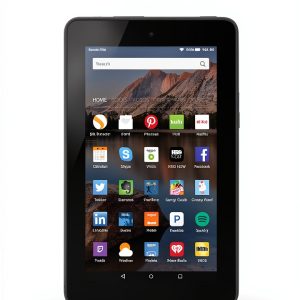
![[Product front view showing all components]](https://www.fieldmarket.store/wp-content/uploads/2026/06/e851d32c407f4ff7b1c70fdda2cb57e9.jpg)
Usage
Designed for a broad audience, this guide is ideal for beginners, students, senior citizens, and professionals transitioning to tablet‑centric workflows. Whether you are a classroom teacher introducing digital tools, a small‑business owner learning to manage inventory on a tablet, or a retiree exploring entertainment and communication apps, the Amazon Tablet Guide provides step‑by‑step instructions that are easy to follow. The content covers essential topics such as initial device setup, navigating the operating system, installing and managing applications, customizing settings for accessibility, and troubleshooting common issues.
Real‑world usage scenarios include:
- Setting up a new tablet for a child’s educational activities, with parental controls and safe browsing configurations.
- Equipping remote employees with the knowledge to securely access corporate resources, share files, and collaborate via cloud services.
- Guiding seniors through the process of video calling, photo sharing, and reading e‑books, thereby enhancing social connectivity.
- Assisting hobbyists in using tablets for digital art, note‑taking, and multimedia consumption.
The guide’s unlimited device usage policy means a single purchase can be installed on a family’s collection of tablets, ensuring consistent training across all members. Its lightweight file size and optimized typesetting also make it suitable for low‑bandwidth environments, allowing users in remote areas to download and study without extensive data consumption.
Why Choose Us
Choosing the Amazon Tablet Guide means selecting a product backed by Amazon’s extensive experience in digital publishing and customer support. The guide is authored by seasoned technology educators who have distilled years of hands‑on experience into a clear, concise format. Each chapter has been peer‑reviewed to ensure accuracy, and the e‑book receives regular updates to reflect new tablet releases and software updates, keeping the content current.
Quality assurance is reinforced through Amazon’s rigorous publishing standards, which include thorough editing, formatting checks, and accessibility testing. The enhanced typesetting and Word Wise features are not merely decorative; they are purpose‑built to improve comprehension and reduce reading fatigue, especially for users who may be new to digital interfaces. Additionally, Amazon provides responsive customer service for any technical issues related to the e‑book, such as download problems or formatting glitches, ensuring a smooth experience from purchase to reading.
By investing in this guide, readers gain a reliable, long‑lasting resource that can be revisited as their tablet skills evolve. The unlimited device usage clause eliminates the need for multiple purchases, delivering cost‑effective value for households, schools, and organizations alike.
Key Features
- Enhanced typesetting for comfortable reading on any screen size, reducing eye strain during extended study sessions.
- Word Wise integration that simplifies complex terminology, helping users build confidence and vocabulary as they learn.
- Page Flip navigation that mimics the tactile feel of a physical book, making it easy to locate and revisit important sections.
- Unlimited device usage allows a single purchase to be shared across multiple tablets, smartphones, and Kindle apps without additional cost.
- Dedicated Amazon customer support ensures prompt assistance for any download or formatting issues, reinforcing a hassle‑free learning experience.
FAQ
Can I read the guide on non‑Kindle devices?
Yes, the Amazon Tablet Guide is compatible with any device that supports the Kindle app, including iOS, Android, Windows, and macOS platforms. This flexibility allows you to study on a tablet, smartphone, or computer without needing a dedicated Kindle e‑reader.
Is the content updated for new tablet models?
The guide is periodically revised to incorporate the latest tablet hardware and software updates. When a new edition is released, existing purchasers receive a free update notification, ensuring you always have the most current information.
What accessibility features are included?
In addition to Word Wise, the e‑book supports adjustable font sizes, high‑contrast mode, and screen‑reader compatibility. These features make the guide accessible to users with visual impairments or reading difficulties.
How many devices can I install the guide on simultaneously?
There is no limit to the number of devices you can use at the same time. The unlimited device usage policy means you can share the guide with family members, classmates, or coworkers without worrying about additional licenses.
Do I need an internet connection to read the guide?
Once the e‑book is downloaded to your device, you can read it offline. An internet connection is only required for the initial download and for receiving future updates.






 Whole Foods Diet for Longevity Book 2 Vegan Whole Foods Guide
  Vegan Gluten-Free Allergy Diet Kindle eBook by Wholeness for Life
  Christian Short Read eBook Barakaldo Books 27 Page Spiritual Guide
  Vegan Diet Guide for Kindle - 27 Pages, 34.2 MB, English
 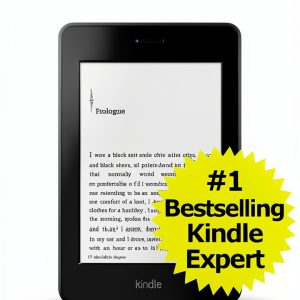 Kindle Tablet Guide: Essential Tips for Beginners by Amazon 1.1
  YUTIN Kids' Party Favor Toy Assortment, 300pcs Fidget Toys Bulk
  Christian Growth Kindle Book by Capps Publishing 31‑Page Guide
  Christian Youth Ministry Kindle Devotional by FaithPress Enhanced
  Keryx French Kindle eBook Religion Philosophy Guide 27 Pages
  Rawlive Limited Edition Antioxidants & Phytochemicals Guide
 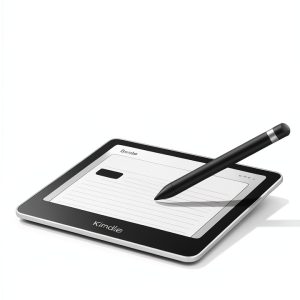 Amazon Kindle E-Reader for Mobile Device Programming, Tech Application
  PHIMOTA Party Favor Pack 150 Piece Kids Toy Assortment Multi‑Item Set
Reviews
There are no reviews yet.